
Security Camera
LineCastHouse & Home
3.915.00 Reviews
- Version
- 2.92
- Installs
- 10.00K
- Age Rating
- Everyone
Screenshots
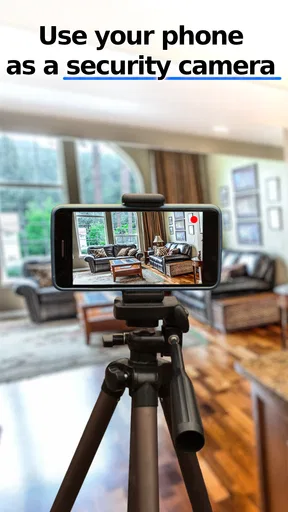
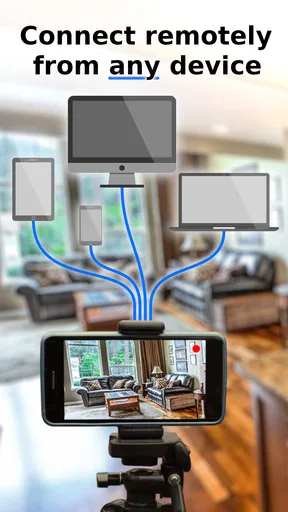
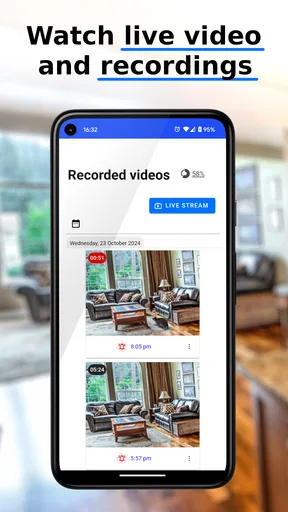
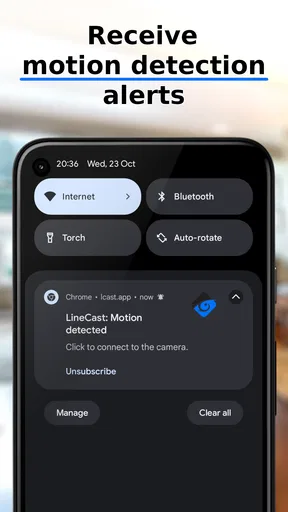
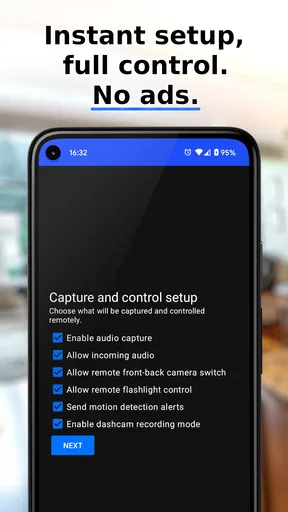
Our Review of Security Camera
 Analysis by Appyee
Turning an old Android phone into a camera sounds simple, but the useful question is whether the result is dependable enough for real life. I looked at Security Camera from LineCast as a practical House & Home tool rather than treating it like a replacement for dedicated surveillance equipment. Its purpose is clear: use one Android phone as the camera and view that feed remotely from another device. That makes it interesting for temporary monitoring, checking a room, or keeping an eye on a familiar space without buying another camera immediately.
The app is free to install and is rated for Everyone, which makes the basic idea approachable for a household. It has a 3.9 average from around 88 ratings and has passed the 10K+ install mark, so it is not an entirely unknown experiment. Still, those figures also suggest a modest user base rather than the broad testing associated with major smart-home platforms. I would approach it as a lightweight, phone-based solution whose success depends heavily on the Android handset, network, power supply, and location where it is used.
How Security Camera feels in everyday use
My first impression is that the app’s appeal comes from reuse. Many people have an older Android phone in a drawer, and a spare handset can become useful when placed in a hallway, near a front door, facing a pet’s usual resting area, or pointed toward a room during a short absence. That is a different proposition from buying a dedicated indoor camera: you already own the main hardware, and the application gives it a new job.
The setup concept is also easier to understand than a full smart-home system. One phone acts as the viewing device and another acts as the camera. That separation matters because the camera phone needs to remain in position, while the viewing phone can travel with you. In a realistic household scenario, I could leave an older Android handset plugged in on a shelf while taking my everyday phone to another room or outside the home to check the live view.
There is an important distinction between “can show a live view” and “is a complete security system.” I would use this application for awareness and convenience, not as my only protection for valuables or as a substitute for professionally installed equipment. A phone can be moved, lose power, disconnect, receive interruptions, or be affected by the conditions around it. The app’s value is strongest when the situation is low-risk and the user can tolerate occasional hands-on checking.
Speed depends on the whole setup
For a live camera app, perceived speed is not just an app quality. The camera phone has to capture the scene, process it, send it through the network, and display it on the viewing device. The connection between those points matters just as much as the application itself. A strong home network and a phone placed where it can maintain a stable connection should give a more comfortable experience than a weak signal behind walls or in a distant corner.
I would not judge the app by expecting instant, professional-monitoring responsiveness. A small delay is normal for remote video, and it becomes more noticeable when the camera phone is older or doing other work in the background. The practical test is whether the image updates smoothly enough for the purpose at hand. Checking whether a pet is in a room or seeing whether someone has arrived is a much easier requirement than trying to follow fast movement.
One useful habit is to test the complete arrangement before relying on it. Put the camera phone in its intended position, leave it there for a while, and view it from the place where you will normally check the feed. This exposes problems that are easy to miss during setup, such as a poor signal at the chosen shelf, a charging cable that cannot reach comfortably, or a viewing angle that looks fine up close but misses the area you actually care about.
What happens during heavier use
The most demanding moment is not opening the viewer for a quick look. It is leaving the camera phone active for a long period while the screen, camera, network connection, and battery system all remain involved. Older Android hardware may handle short sessions comfortably but become less predictable during extended use. That does not make the app unsuitable; it means the phone should be treated like a continuously working device rather than a passive object.
Heat is another practical consideration. A phone placed in direct sunlight, beside a radiator, or in a tightly enclosed space is a poor camera platform regardless of the application. I would choose a shaded, ventilated position and keep the lens clear. If the phone is permanently connected to power, I would also arrange the cable so that it cannot pull the handset out of position or create a trip hazard.
Heavy use can also reveal limitations in the viewing phone. If I keep the live feed open while switching repeatedly between applications, the operating system may manage memory differently depending on the device. For a quick check, that is not a major issue. For a longer session, I would keep the viewing workflow simple: open the app when needed, inspect the scene, and close it when the task is finished instead of treating the stream as an all-day dashboard.
That workflow is one of the app’s less obvious trade-offs. A spare phone can be a cheap camera, but it is still a general-purpose phone with its own battery, software, and background activity. Removing unnecessary apps, clearing space, and keeping the device dedicated to this role can make the arrangement easier to manage. I would not install it on the only phone I depend on for calls or navigation unless I had a clear reason to do so.
Stability and recovering from interruptions
Reliability is best understood here as recovery, not just whether the first connection works. Home networks restart, phones lose charge, and operating systems occasionally interrupt long-running tasks. Before using Security Camera for anything important, I would deliberately test what happens after closing the viewer, restarting the camera phone, briefly disconnecting the network, and reconnecting the power. That tells me more than a successful first launch.
A good personal routine is to check the camera phone physically whenever I am nearby. Confirm that it is still positioned correctly, connected to power, and not showing an unexpected system message. This is especially useful when the phone is older, because aging batteries and worn charging ports can turn a seemingly stable setup into an intermittent one.
I would also avoid placing the camera where a single accidental movement ruins the view. A shelf edge may seem convenient, but a stable stand or a carefully supported position is better. Since the application uses a phone rather than a fixed camera body, the camera angle can change if the handset is bumped. That is a small detail, yet it is one of the most realistic failure points in a home monitoring arrangement.
Another recovery question is whether the app returns to the expected state after the phone has been disturbed. I would not assume that every interruption is handled identically on every Android handset. The current version is 2.92, and it supports Android 5.0 or later, which opens the door to older devices, but that broad compatibility also means the hardware and operating-system behavior can vary considerably. My advice is to test the exact spare phone you plan to use rather than relying on the age of the operating system alone.
Device limits matter more than the download size
The minimum Android requirement makes the app potentially useful for repurposing older equipment. That is one of its strongest practical advantages. However, minimum compatibility should not be confused with an ideal experience. An old phone may have a weaker camera, a tired battery, limited storage, or slower handling of video tasks. The application can give such a handset a purpose, but it cannot turn an outdated sensor into a modern dedicated camera.
Camera placement is therefore a decision about the phone itself. A handset with a wide field of view may cover a small room from a better position, while another may need to be placed closer to the area of interest. I would first identify the exact scene I want to monitor, then position the device and verify what appears in the remote view. Guessing from the phone’s position alone is not enough, especially when furniture or door frames block part of the image.
Power deserves equal attention. A phone used as a camera can consume substantially more energy than one sitting idle, so a nearby outlet is usually part of the plan. If the outlet is too far away, an improvised cable arrangement may place stress on the connector or make the phone easy to knock over. In a rented home, I would favor a setup that can be removed without adhesives or permanent changes.
Privacy is also a device-management issue. I would avoid pointing the phone toward private areas where people reasonably expect not to be recorded, and I would tell anyone in the household who might enter the monitored space. The app’s Everyone age rating describes its store classification, not a guarantee that every use is appropriate in every home. Responsible placement is part of using a camera application well.
Where it beats the usual alternatives
Compared with buying a dedicated indoor camera, Security Camera has an obvious financial and logistical advantage: it can make an existing Android phone useful. That is attractive for a temporary need, a spare room, a move, a renovation, or a short period when I want another view without committing to new hardware. It also avoids throwing away a functioning older phone simply because it is no longer my daily device.
Compared with a basic baby monitor, the phone-based approach can be more flexible because the camera and viewer are not tied to one small-purpose device. On the other hand, a traditional monitor may be easier for someone who wants a predictable appliance that starts in a known state and does not depend on an older handset’s battery or software behavior.
Dedicated smart cameras are usually the better choice when I need a permanent installation, stronger mounting options, specialized detection, or a more polished home-security ecosystem. They are designed around continuous operation, whereas this app turns a general phone into a camera. The phone approach wins on reuse and low entry cost; the dedicated device wins when reliability, convenience, and purpose-built hardware matter more than avoiding a purchase.
I would also skip this app if I needed recorded evidence, professional monitoring, or a system that must remain dependable while nobody can physically check it. The store summary focuses on remote live viewing, and that is how I would frame its role. A live view is useful for seeing what is happening now, but it is not automatically the same as a complete security record or alarm service.
Costs, version, and what to plan for
The application is free, which makes experimenting with an unused Android phone easy. There are in-app purchases ranging from $0.99 to $23.99 per item, so I would review the purchase screens carefully before assuming every part of the experience is included at no cost. The safest approach is to install it for the specific viewing task I have in mind, then decide whether any optional purchase is worthwhile for my situation.
LineCast is the developer behind the app, and the release date was October 23, 2021. Those details help set expectations: this is an established app rather than something newly appearing today, but it is also not a reason to assume that every modern Android phone will behave identically. The current version is 2.92, while the minimum operating-system requirement remains Android 5.0, so the supported range includes devices with very different capabilities.
Before depending on it, I would answer four practical questions for myself. Does the spare phone have a camera angle that covers the needed area? Can it remain safely powered? Is the network strong enough at that exact location? And will I notice if the setup stops working? If the answer to any of these is no, a dedicated camera or a different monitoring method may be the more sensible purchase.
My performance verdict
I see Security Camera as a useful conversion tool, not a universal security solution. Its best performance is likely to come from a simple arrangement: a reasonably capable Android phone, a stable connection, continuous power, a clear camera position, and a viewer used for occasional checks rather than nonstop surveillance. Under those conditions, the concept is practical and pleasantly economical.
The app is less convincing when pushed into demanding roles. Long sessions expose the limits of old hardware, poor placement can reduce the usefulness of the image, and interruptions require a recovery plan. I would not install it and walk away assuming the job is finished. A short trial in the real location is essential, especially if the camera will be left alone for hours.
For someone with a spare Android handset who wants a temporary remote view, I would recommend giving it a try. It is particularly suitable for checking a familiar room, watching a pet’s area, or keeping an eye on a home project while nearby. For someone seeking guaranteed continuous protection, advanced security functions, or a polished appliance that needs little attention, I would choose dedicated hardware instead.
My bottom line: Security Camera’s strength is turning an otherwise unused Android phone into something useful at no initial cost. Its weakness is that the phone remains the limiting factor. If I accept that trade-off and test the complete setup before relying on it, the app can be a sensible House & Home companion. If I need security to be dependable without regular checks, the convenience of reusing a phone is not enough to outweigh the compromises.
Verdict
Strengths of Security Camera
- Supports remote live viewing from your smartphone.
- Motion alerts help you react quickly to activity.
- Cloud recording keeps footage accessible off-site.
- Two-way audio enables communication through the camera.
- Night vision improves monitoring in low-light conditions.
Limitations of Security Camera
- Some features may require a paid subscription.
- Video quality depends heavily on your internet connection.
- Continuous recording can use significant battery or storage.
- Privacy depends on secure account and network settings.
- Compatibility may vary between camera models and devices.
Similar Picks in This Category
View All
Universal TV Remote Control
CodeMatics Media Solutions3.9

AlfredCamera Home Security app
Alfred Systems Inc.4.7

Planner 5D: AI Home Design
Planner 5D4.5

Universal Tv Remote-Cast to TV
One Music Player4.1

Zillow: Homes for Sale & Rent
Zillow Group4.8

99acres Buy/Rent/Sell Property
infoedge.com4.3
Frequently Asked Questions
What is Security Camera, and what can it do?
Security Camera is an app designed to turn a compatible Android or iOS device into a basic monitoring camera. After installation, you can usually use the device camera to watch an area remotely, receive activity alerts, or review captured images and video, depending on the available features. It can be useful for checking pets, children, entrances, or rooms, but it should not automatically be considered a professional security system.
Does Security Camera require two phones or additional equipment?
In most cases, Security Camera works best with at least two compatible devices: one device remains in the monitored location and acts as the camera, while the other is used for viewing. Both devices normally need the application, a stable internet connection, and permission to access the camera and microphone. Feature availability may vary by operating system, app version, subscription plan, and the specific phone or tablet being used.
Can I use Security Camera without an internet connection?
The main remote-monitoring functions generally require an internet connection, especially when you want to watch the camera from another location or receive notifications while away. A strong and stable Wi-Fi connection is recommended for smoother video and fewer interruptions. Some versions may support local recording or limited offline functions, but users should check the app’s current feature list because offline capabilities can differ between devices and plans.
Is Security Camera safe and private to use?
Before using Security Camera, review its privacy policy and the permissions requested during setup. Camera, microphone, storage, and notification access may be necessary for core functions, but you should avoid granting permissions that do not appear relevant. Use a strong account password, keep the app updated, and position the device responsibly. Do not record people in private areas without their knowledge or permission, and remember that cloud storage may involve third-party servers.
Is Security Camera free, and are there any limitations?
Security Camera may be available as a free download, but certain features can be restricted by advertisements, usage limits, device compatibility, or optional in-app purchases. Advanced tools such as cloud recording, longer video history, multiple cameras, higher-quality streaming, or enhanced alerts may require a subscription. Check the store listing and purchase terms before downloading so you understand what is included in the free version and what may create recurring costs.
